Python's Basics
CSCI 1470
by K. Yue
1. Python's Interpreter
- An interpreter is a program that executes code from a high-level programming language one statement at a time.
- A Python interpreter is a program that executes Python code one statement at a time.
- In windows, the Python interpreter is usually 'python.exe' in the installed Python directory.
Example:
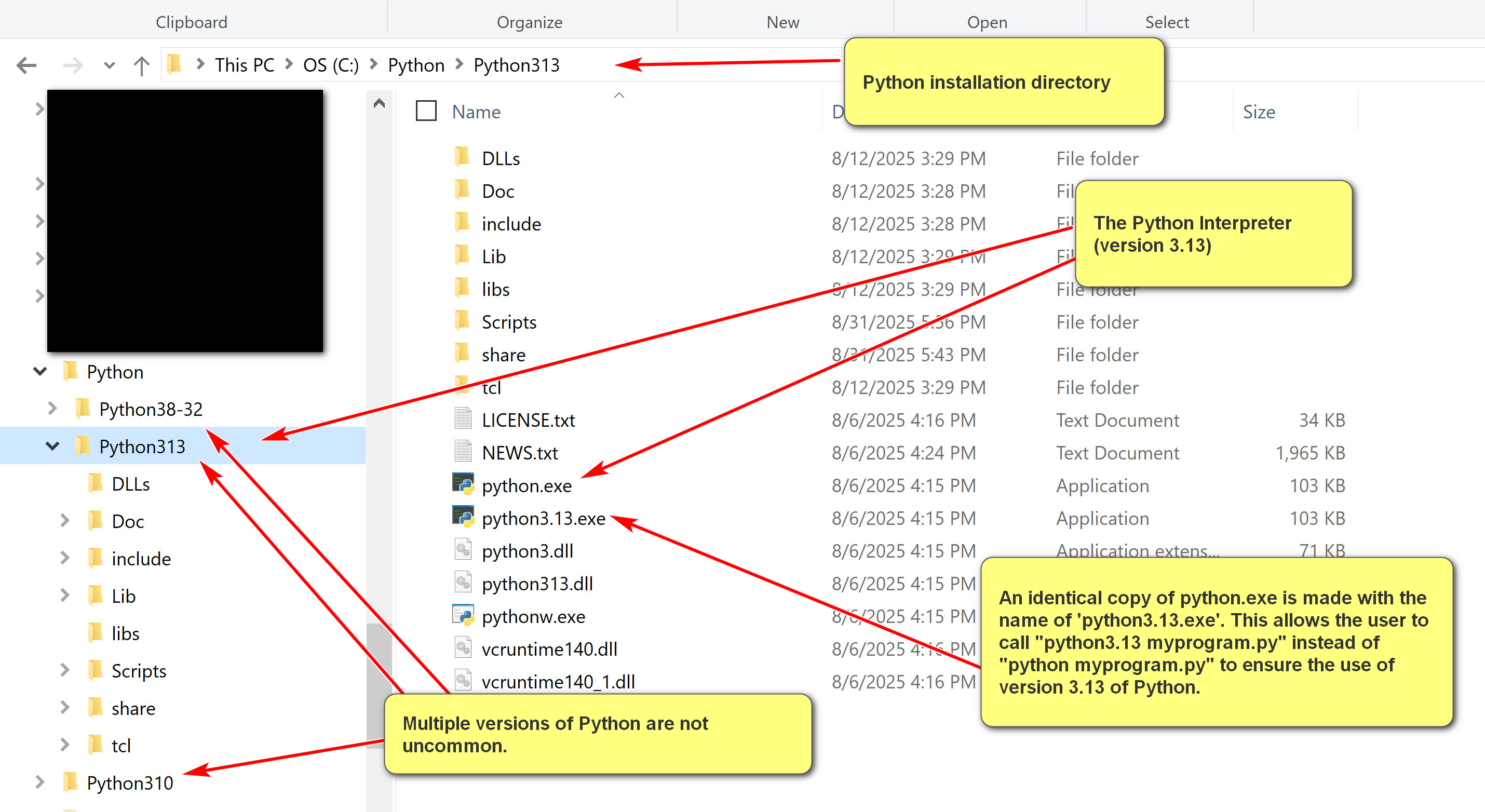
- In contrast, many high-level programming languages do not have interpreters. Instead, they use compilers. Execution of a program involves two steps. Program executions require two steps:
- Compilation: compile the program to machine code or other low level code.
- Execution: execute the machine or low-level code.
Example:
In Java, to run a program, Hello.java:
[1] "javac Hello.java": compile Hello.java into Hello.class, a Java bytecode program. Java bytecode has .class as its file extension. It is a platform independent intermediate level programming language.
[2] "java Hello": invoke the Java Virtual Machine (JVM) to run the Java bytecode program Hello.class. Note that the instruction is not "java Hello.class" as the file extension of .class is assumed. |
1.1 Python Interpreter
- The Python interpreter is invoked by running "<<python_installation_path>>\python.exe" (e.g., c:\python\python313\python.exe)
- When invoking by itself, the Python interactive interpreter is started, executing one Python statement at a time.

- The interactive Python interpreter is good for exploration and learning. However, it is limited by one user input Python statement at a time.
- To perform serious work, it is necessary to run Python programs that contain many Python statements.
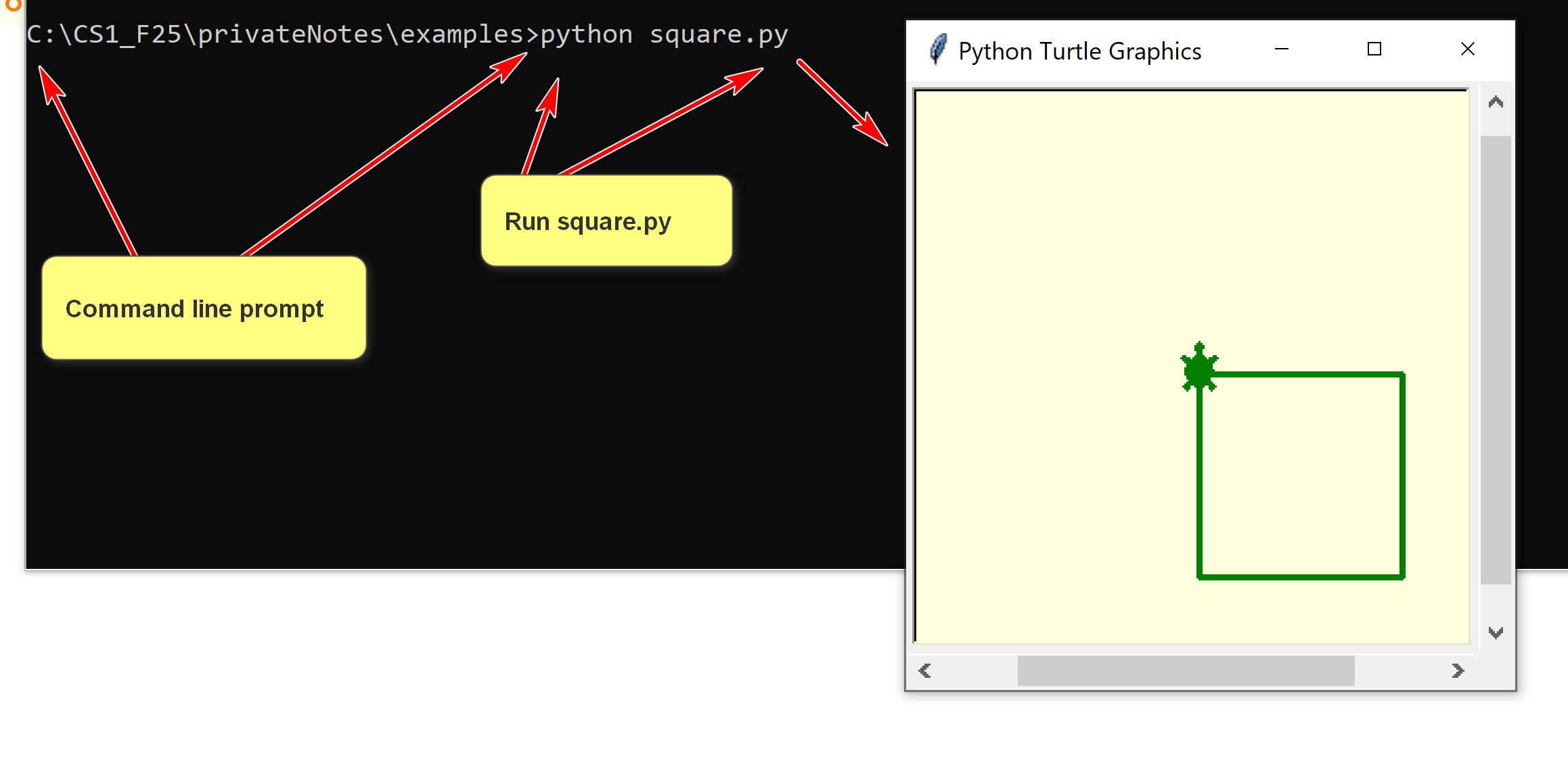
- One can use it to execute a program, e.g. "Python hello.py"
1.1 Python IDLE
- The Python IDLE is more than the Python interactive interpreter. It is a simple IDE with an editor and can execute a Python program.

2. Python Programs
2.1 Python Literals and Variables
- Literals in Python are fixed values written directly in the source code that represent constant data.
- There are many types of literals: number literals, string literals, Boolean literals, etc.
- Identifiers are names used to identify variables, functions, classes, modules, or other objects in Python code.
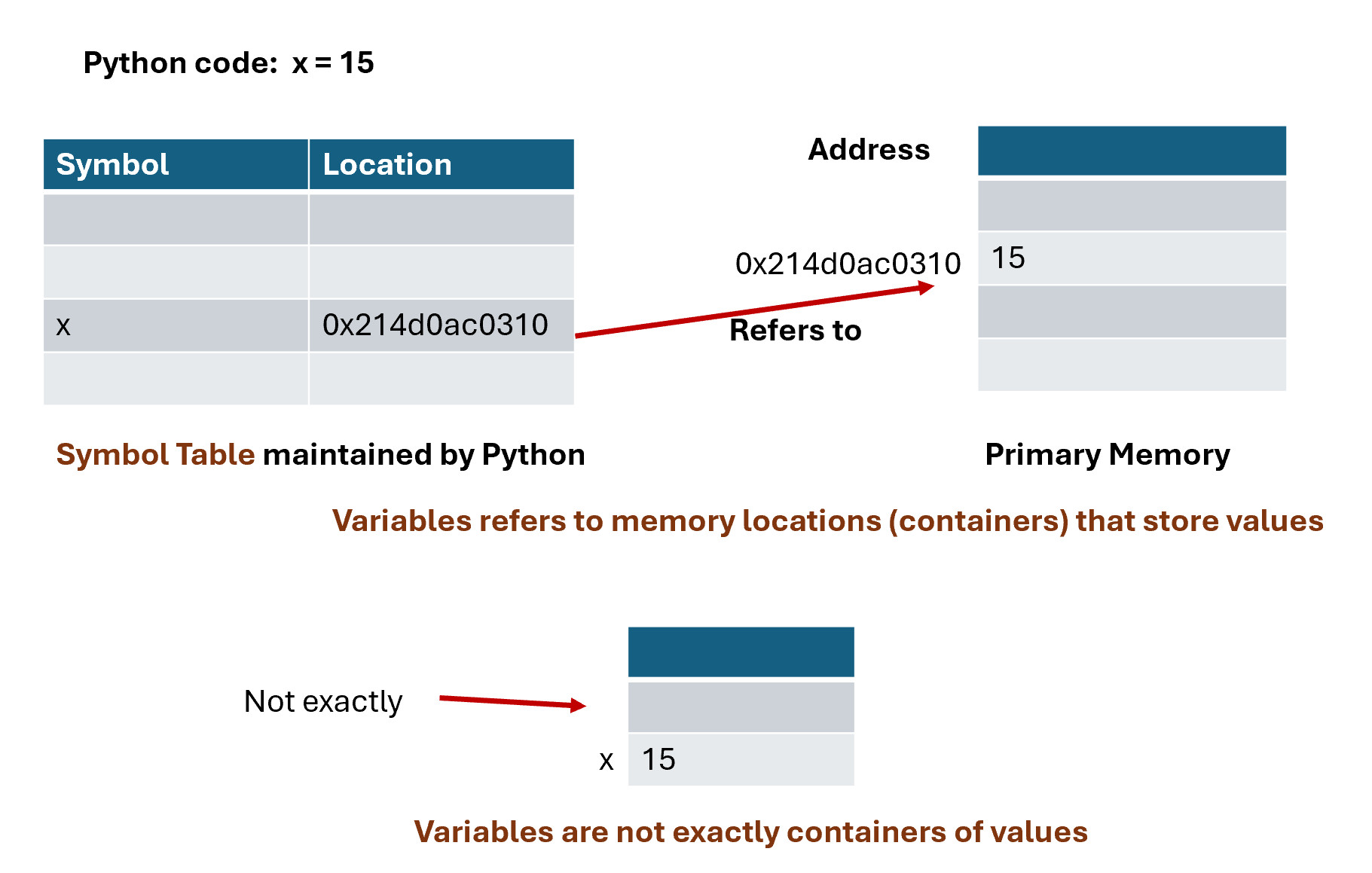
- A Python variable has a symbolic name (identifier) that refers to objects or values stored in the computer's memory.
2.2 Python Statements
- A Python statement is an instruction that the Python interpreter can execute.
- A statement is a basic execution unit in Python.
- There are many types of statements in Python.
- A Python statement usually terminates at the end of a physical line, denoted by a newline character: ('\n').
- The character ; is a terminator of Python statement. It is not required and is seldomly used.
- The character \ can be used to extend a Python statement beyond the current physical line.
- Python can also detect that some Python statements are not terminating and extend them to the next physical line.
Try out statement_1.py
# Python statements
# A Python statement is terminated by the end of the physical line,
# represented by the end of line character: \n.
print('hello')
print('hello again');
# Not recommended Python style.
print('hello '); print('world');
# the second argument (end = ' ') indicates that the end string
# for the print statement is ' ', and not the default '\n'
print('hello ', end = ' '); print('world');
# \n is the end of line character. \ is used here for 'escaping' a character into special characters.
print('first line\nsecond line\nthird line');
# Because of the , character, Python knows that this
# not the end of the statement and extends it to the next line.
print('hello',
'world')
# The character \ extends the statement to the next line.
# There should not be any character after \.
print('hello' \
, 'world')
2.3 Expressions, Functions, Operators and Methods
- In Python, an expression is a piece of code that the Python interpreter evaluates to produce a value.
- The evaluation of an expression always returns a value.
- Expressions can be constructed by using:
- literals: constants
- variables: identifiers refering an object or a value.
- functions: standalone functions similar to mathemtical functions. Have arguments and return a value. E.g., max()
- operators: special symbols representing operations. E.g., a + b.
- methods: functions belonging to an object using the object method invocation syntax: object.method(). E.g., if s is a string, we can call s.upper()
Examples:
Try out expression_ex1.py
a = 1
b = 2
c = 'hello'
print(max(a, b, 3))
print(round((a+100)/(b+5)))
max(a, b, 12, b*7, 6)
a + b * 4
a < b
a > b
a / b
d = (a + 4) ** b
e = c + ' world'
print(a, b, c, d, e)
print(e.upper())