Developing a Simple Sensor Application using Crossbow Devices and Xserve
-
a) Learning objectives:
To develop a simple sensing application (MyApp_Sensor) that samples the temperature on a sensor board and sends the message packet over a RS- 232 serial connection or a USB connection to the monitoring terminal using a Programming board/Gateway interface.
Students will learn:
- o How to create a simple Mote firmware application that reads the temperature sensor data from the sensor board.
- o How to program the Mote with a Programming board using the Programmer’s Notepad.
- o How to use the X-serve application to display the sensor data at the Monitoring Terminal
- b) Tools Utilized:
- • MICA2 Mote: Standard edition of MICA2
- • One Sensor or Data acquisition board: MTS 310
- • One Gateway/Programming board: MIB510/MIB 520
- • A Windows PC with MoteWorks platform installed
NOTE: The configuration of the devices and their relationships with the programmer’s station is depicted in Figure 1. Illustrated in Figure 2 are the procedure and the configuration of various components used in developing a sensor application.
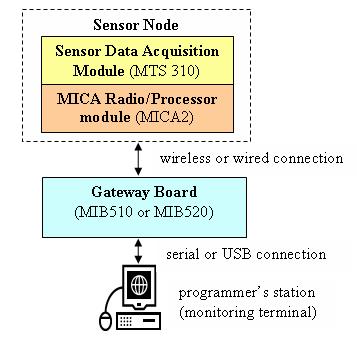
Figure 1. Hardware Configuration of the Simple Sensing Application
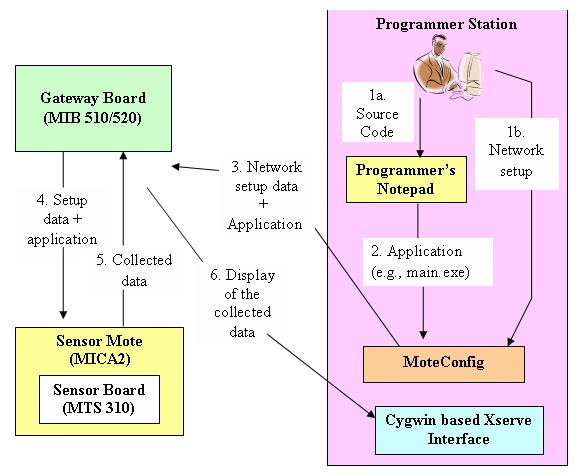
Figure 2. Configuration and Procedure for Developing a Sensor Application
- c) Observation:
- • By successful execution of the simple sensing application the Monitoring Terminal receives the sensor data.
- • To display the sensor reading we use the Xserve application in the Cygwin command prompt window.
- • In default, Xserve displays the updated sensor data every second.
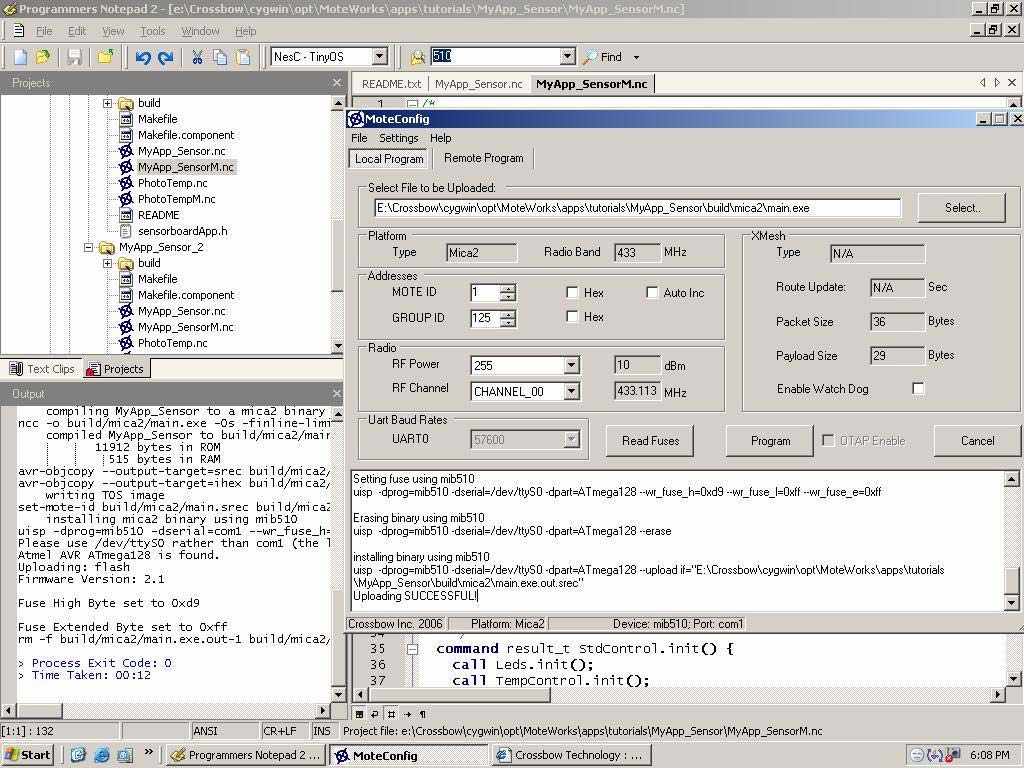
Figure 3. Snapshot of Programmer’s Notepad and MoteConfig Interface
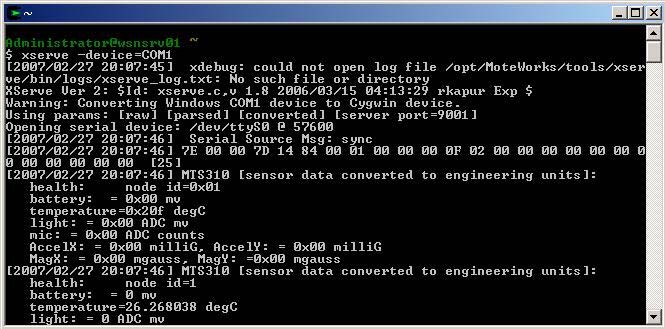
Figure 4. Snapshot of output from a Cygwin based Xserve interface
- d) Application classification: The application can be classified as a study experiment because it involves some programming of Motes.
-
e) How it may be implemented in the lab:
By using the required Crossbow Devices and a PC that has the Crossbow MoteWorks development platform installed on it.
Also follow the detailed instructions that are provided in the MoteWorks Getting Started Guide available at http://www.xbow.com/Support/wUserManuals.aspx
- f) Level of difficulty: The level of difficulty of the project is easy.